

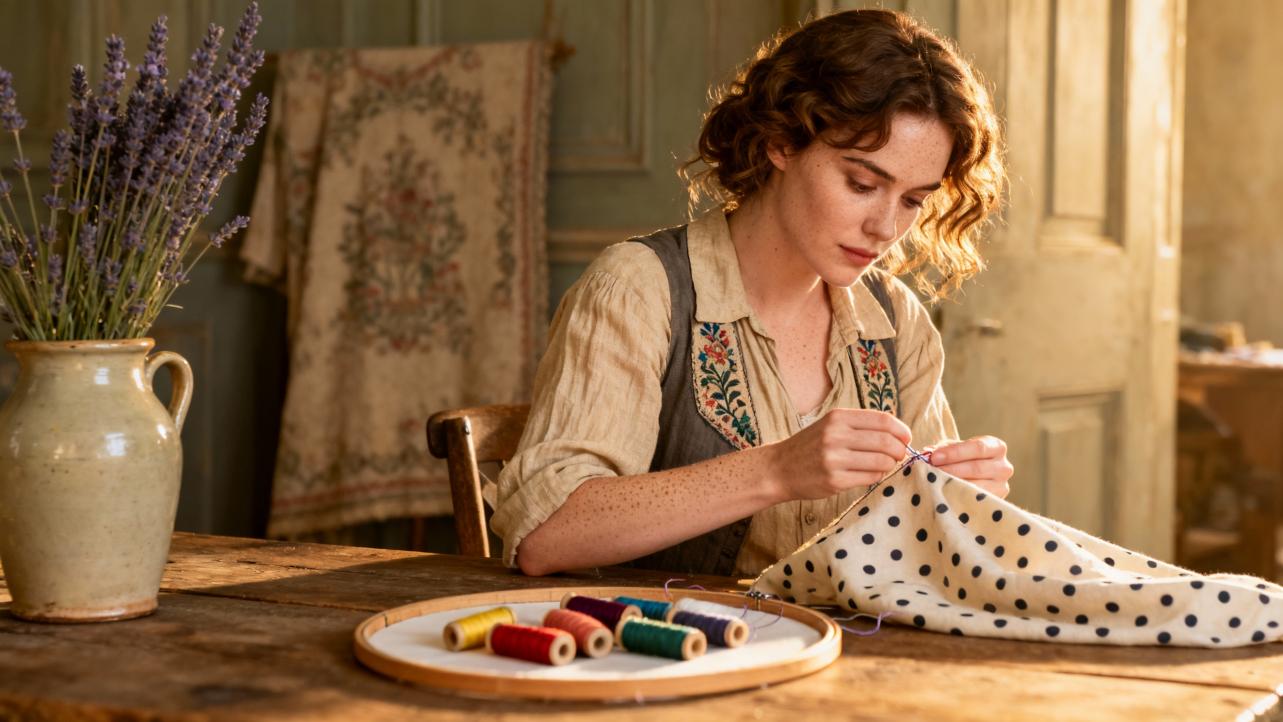
The Hidden Magic of AI‑Generated Dot Patterns for Embroidery Gifts
There is something quietly enchanting about dots in embroidery. A scatter of tiny stitches can become a starry sky on a baby bib, a halo around a monogram on a towel, or a constellation of memories on a cushion given for an anniversary. In my studio, I often say that dots are the punctuation marks of stitchery: small, but full of feeling.
Now we have a new collaborator at the worktable: artificial intelligence. AI‑generated dot patterns are beginning to shape how we design and stitch heartfelt gifts, from delicate hand embroidery to bold machine‑stitched pieces. Used thoughtfully, they do not replace your craft; they amplify it.
In this guide, I will walk you through what AI‑generated dot patterns really are, how they work for embroidery, where they shine, where they fall short, and how you can use them to create one‑of‑a‑kind gifts that still feel deeply handmade and personal.
What Are AI‑Generated Dot Patterns?
When we talk about AI‑generated dot patterns for embroidery gifts, we are really talking about two layers of technology working together.
First, there are AI design tools that generate visual patterns made up of dots: constellations, confetti, mandalas, stippled shading, and tiny “top dots” that dance over a design. Services like AI embroidery generators and image‑to‑pattern tools, described by companies such as Pixelcut and LightX, take an image or a text prompt and produce a visual pattern that already looks embroidered or dot‑based.
Second, there are AI embroidery digitizers that convert those visuals into files an embroidery machine can actually stitch. Articles from Absolute Digitizing and DigitizingUSA explain that modern digitizing software can analyze a design, detect outlines, assign stitch types, adjust stitch density, and optimize pathing so a machine can follow the pattern.
A dot pattern, in this context, is simply a design where the key visual language is small, discrete points rather than large filled areas or long lines. Think of:
Dot constellations forming initials on a baby onesie.
A ring of dots outlining a heart on a wedding handkerchief.
Dot mandala patterns used as the central motif on a hoop or cushion.
AI can generate the arrangement of dots, while you decide how to bring them to life with stitches, fabrics, and color.

How AI Embroidery Tools Handle Dots
Traditional digitizers used to spend hours plotting each dot and stitch by hand. According to Absolute Digitizing, AI‑assisted digitizing now lets software detect shapes, choose appropriate stitch types like satin or running stitch, adjust stitch density for the fabric, add underlay, and optimize the stitch path, turning what could take hours into work that can be done in minutes.
For dot patterns, this means the software can:
Recognize each dot as a tiny shape that needs a compact cluster of stitches.
Assign a suitable stitch, such as a short satin stitch cluster or a small fill.
Space the dots evenly and ensure the machine does not travel between them in ways that cause visible threads on the front.
DigitizingUSA notes that advanced AI systems go further by adapting stitch length and density to different fabrics, helping dots sit neatly on delicate silk or sturdy denim without distortion. And tools such as OpenArt’s AI embroidery generator, as described in the MaggieFrame research, can even convert images into stitch files, detect overlap errors, and auto‑adjust density to avoid over‑stitching.
Underneath all of this, AI is learning from thousands of examples of designs, just as generative AI image tools described by Lolli and Grace learn visual patterns from massive image sets. That is how these tools can generate complex dot arrangements from simple prompts like “a dotted mandala with soft florals” or “confetti dots surrounding a monogram.”
Why Dots Matter So Much In Embroidery Gifts
If you have ever tried to stitch the dot on a lowercase “i,” you know that a circle the size of a crumb can be surprisingly tricky. Needle’nThread’s tutorials on hand‑embroidered dots and lettering dots explain in detail how much precision those tiny shapes demand. The dot floats above the main letter, and a sloppy stitch or visible traveling thread can spoil the whole word.
The same is true for decorative dot patterns. Dots control rhythm, sparkle, and emphasis. They can:
Highlight a name or date on a keepsake.
Frame a motif without overwhelming it.
Add a playful, modern feel to otherwise traditional pieces.
Community discussions about dot mandalas show how anxious beginners can feel about “top dotting,” the small dots added at the end of a mandala design. One stitcher admitted worrying constantly about adding too many or too few top dots and “ruining” a piece at the last moment. That feeling is very familiar in embroidery as well: once you add those final accents, they either make the gift sing or feel slightly overdone.
This is where AI‑generated dot patterns become quietly powerful. They give you a mapped‑out rhythm of dots to follow or adapt, so you can spend your creative energy on color, meaning, and stitching technique rather than basic geometry.

The Benefits of AI Dot Patterns for Handmade Gifts
AI‑generated dot layouts are not just a technical novelty. They can transform the way you design and deliver gifts in practical and emotional ways.
Faster Paths From Idea To Finished Present
Several sources, including Absolute Digitizing and Microsoft’s embroidery learning guide, emphasize how AI dramatically shortens the design process. Converting an image to a stitch‑ready file used to take hours of specialized work. Now, AI‑driven auto‑digitizing and pattern generators can handle much of the heavy lifting in minutes.
When you are creating a gift, that time matters. Imagine this scenario. A friend has a baby shower next week. You picture a bib sprinkled with tiny star dots forming the baby’s initials. Instead of painstakingly plotting each dot in a graphics program, you can:
Describe the idea in an AI design tool: “starry dot pattern forming the letters A and J, spaced loosely on a soft arc.”
Let the AI generator propose several dot layouts.
Pick the one that feels most charming and feed it into your digitizing software.
The AI embroidery digitizer assigns stitch types and paths; you refine the density or size, and you are ready to hoop and stitch.
What used to require either a professional digitizer or a long evening of manual plotting becomes a comfortable, creative session where you remain the artistic director rather than the draftsperson.
Consistency Without Losing Soul
One of the constant trade‑offs in embroidery is the balance between consistency and charm. Absolute Digitizing and Reddit embroiderers, as cited in that article, point out that AI digitizing excels at consistency but can flatten artistic nuance if used alone.
Dot patterns are especially sensitive to inconsistency. An uneven row of dots around a monogram or a wobbly dotted border on a wedding napkin can distract the eye. AI helps by standardizing spacing and size, which is exactly the kind of work a machine is good at, while you retain control over:
Thread choice, including metallics, variegated threads, or soft cotton.
Stitch technique, such as French knots, satin‑stitched dots, or small padded dots.
Color order and blending, which can echo the recipient’s favorite palette or the theme of the event.
Needle’nThread’s guidance on satin‑stitched dots, for example, shows how padding, stitch direction, and length affect whether a dot looks plump and jewel‑like or flat and quiet. AI will not decide those feelings for you. It simply arranges the dots so your artistry can shine.
Endless Personalization
AI embroidery generators highlighted by OpenArt and LightX allow you to customize parameters like theme, color palette, and complexity. For dot patterns, this becomes a playground for personalization.
You might create:
A dotted map of a couple’s important dates, with each dot representing a memory, stitched on a cushion.
A ring of birth‑month flower dots dancing around a baby’s name on a blanket.
A constellation‑style arrangement of dots mirroring a night sky from a special date, stitched on a wall hoop.
Microsoft’s embroidery guide suggests using AI prompts to describe exactly what you want: type of motif, difficulty level, and style. When you apply that mindset to dot patterns, you gain fine control. You can request a simple, beginner‑friendly dotted heart outline for a child’s pillow or a complex, layered dot mandala meant for an experienced stitcher to enjoy over several evenings.
Because AI can generate many variations quickly, you can audition several layouts before committing. This is especially helpful for sentimental gifts where the arrangement of elements really matters.
Confidence For Beginners, Efficiency For Home Businesses
The Microsoft 365 article positions AI as a gentle coach for new embroiderers, from generating shopping lists to creating step‑by‑step learning plans. For dot‑based gifts, this support is invaluable.
A beginner can ask AI to:
Suggest simple dot patterns suitable for a first project.
Explain which stitches are easiest for tiny dots.
Create a ten‑day practice plan that includes dotting letters, borders, and small motifs.
At the same time, home‑based embroidery businesses benefit from AI’s efficiency. Hatch Embroidery’s business resources and MaggieFrame’s articles both highlight how quick‑stitch products like bibs, key fobs, dog collars, tote bags, and cushion covers can form the backbone of a profitable shop. Dot patterns work beautifully on all of these:
Scattered dot monograms on baby bibs.
Dotted frames around names on dog collars.
Confetti dot patterns on zip pouches or tote bags.
Because dots tend to use fewer stitches than solid fills, especially when you design with density in mind as MaggieFrame recommends, they can keep stitch counts and machine time manageable while still looking rich and detailed.

Comparing AI‑Generated And Manually Plotted Dots
To decide how AI fits into your gifting practice, it helps to compare AI‑generated dot patterns with traditional, fully manual plotting.
Aspect |
AI‑Generated Dot Patterns |
Manually Plotted Dots |
Design speed |
Layouts generated in minutes; ideal for tight deadlines or many pieces |
Can take hours to draft and refine, especially for complex mandalas or constellations |
Consistency of spacing |
Very even by default; software maintains alignment and symmetry |
Depends entirely on your drawing or grid work |
Creative control of layout |
Strong, but can feel “machine perfect” unless you tweak and edit |
Total freedom to break rules and introduce intentional irregularities |
Required technical skill |
Less drawing skill needed; some learning curve in using AI and digitizing software |
Requires stronger drawing or drafting skills but minimal software knowledge |
Emotional connection |
Comes mainly from your prompts, edits, and stitching choices |
Begins already in the sketching stage and continues through stitching |
The most rewarding workflow for many gift makers is a hybrid one. Absolute Digitizing notes that professionals often let AI handle the first pass, then refine manually. You can do the same: ask AI for a dot layout, nudge it until it feels right, and then translate it into stitches that reflect your intuition and the recipient’s story.
Limitations And Risks To Watch Out For
AI‑generated dot patterns are powerful, but they are not perfect. Knowing the limitations protects both your time and your heart.
“Fake Embroidery” Images Versus Stitchable Designs
Lolli and Grace has written about how generative AI can create images that look like embroidery at first glance but do not correspond to real stitches. The same issues appear frequently on marketplaces, where AI “embroidery” hoops feature impossibly smooth surfaces, glowing light, and curves of “stitches” that no needle could reproduce.
AI‑generated dot images can share these problems. Signs to watch for include:
Dots that look like glossy beads or clay rather than thread.
Lighting that makes dots appear to float above the fabric unnaturally.
“Stitches” inside each dot that curve in ways real thread cannot follow.
Members of the machine embroidery community, including voices on Reddit captured in the Absolute Digitizing research, report that AI auto‑digitizing can also produce messy fills, poor stitch angles, and fabric‑unaware density if left unedited. The lesson is simple and important: never assume that a pretty AI image of a dotted design is directly stitchable.
You will often need to simplify, resize, and translate those dots into practical stitches. The good news is that dot patterns respond well to this kind of translation. Reducing them to clear, evenly spaced circles makes them more stitchable and often more elegant.
Human Nuance Still Matters
DigitizingUSA outlines some impressive AI capabilities: automatic stitch mapping, adaptive density, and AI‑driven thread color suggestions. However, the same article acknowledges challenges such as high cost, learning curves, and the risk of losing nuanced creative control.
Community feedback echoes this. The Absolute Digitizing article notes that experienced embroiderers on Reddit still favor manual digitizing when quality matters, comparing AI auto‑digitizing to AI image generation that looks fine from far away but falls apart on close inspection.
For dot patterns on gifts, nuance might include:
Choosing a slightly irregular dot spacing in a hand‑lettered quote to keep it lively.
Shifting the position of a few dots so they do not fall on seam lines or buttonholes.
Softening a perfectly radial mandala so it feels more organic and less machine‑made.
AI cannot see the person you are making the gift for. It does not know their laugh, their favorite color, or the way they like to curl up with a cushion or mug. Those decisions are still yours and always will be.

A Practical Workflow For Hand‑Embroidered Dot Gifts
Let us walk through a grounded way to use AI for hand‑stitched dot patterns, weaving in traditional techniques from resources like Needle’nThread and pattern‑marking tips from hand embroidery communities.
Begin with a clear idea of the feeling you want. Perhaps you are stitching a tea towel for a friend who loves simple, modern design. You picture a line of small dots rising like bubbles along one edge. Describe this to an AI design tool: “minimalist border of evenly spaced small dots in a gentle wave.” Ask for a simple, high‑contrast black‑and‑white version so the dots read clearly.
Once you receive a design you like, print it at the size you plan to stitch. If you are comfortable with drawing, you may even trace over the AI arrangement and adjust dots by hand, combining its structure with your instinct.
Transfer the dots to fabric with a light touch. A contributor on Sewing Pattern Review found that DMC embroidery tracing paper makes faint but precise marks that last long enough for stitching without becoming heavy lines. For lazy daisy stitches, they emphasize that tiny dots are enough as placement marks; the same is true here. Touch each printed dot on your paper or tracing with a small pencil or pen dot rather than tracing full circles.
When stitching, choose your dot technique based on size. For very tiny dots, Needle’nThread suggests using just a few straight stitches stacked carefully or small stitches arranged so they suggest a circle without needing perfect geometry. For larger dots, their satin‑stitched dot tutorial recommends building a split‑stitch outline, padding the interior with short stitches, and finishing with smooth satin stitches that hug the padded mound. This creates plump, jewel‑like dots with a gentle dome.
Because your layout came from AI, you can relax about spacing and focus on rhythm, tension, and color blending. As you fill in the dots, you might decide to change colors midstream or leave a few dots unstitched for airiness. The AI pattern becomes a guide, not a cage.

A Practical Workflow For Machine‑Embroidered Dot Gifts
For machine embroidery, AI‑generated dot patterns partner beautifully with modern auto‑digitizing and efficiency tools described by Hatch Embroidery, MaggieFrame, and DigitizingUSA.
Start again with a concept and prompt. Suppose you want to create a set of monogrammed hand towels for a wedding. You picture the couple’s initials in a classic font with a circle of dots around each monogram. Ask an AI embroidery generator for “elegant circle of evenly spaced dots around intertwined initials, suitable for machine embroidery, simple shapes.”
Download the chosen design as an image and bring it into your digitizing software. Tools such as Hatch Embroidery or Wilcom, discussed in the research, can auto‑digitize by recognizing each dot as a fill or satin shape. At this stage, you should:
Check stitch type and size so each dot is dense enough to cover the towel’s pile but not so dense that it becomes hard or stiff.
Review stitch pathing to ensure the machine does not leave long jump stitches between dots. Many AI‑driven systems can optimize paths, but a human eye is still crucial.
Consider conversion of large fill dots into satin circles, which often look richer and reduce stitch count, as MaggieFrame’s density and stitch count guidelines suggest.
Use the software’s preview or simulation tools, which the auto‑digitizing articles recommend, to catch any density issues before you hoop. Adjust design size if necessary to match a standard hoop such as a four‑inch hoop commonly used for monograms.
When stitching, follow stabilizer best practices that you already know from your favorite projects. Towels, for example, generally benefit from a stabilizer behind and a water‑soluble topping to prevent dots from sinking into the pile, as home‑business guides from Hatch emphasize.
Because the dot pattern was generated and digitized quickly, you gain more time to focus on thread choice, production scheduling, and finishing touches, such as packaging the towels with a handwritten note describing the meaning of the design.
Gift‑Ready Ideas Using AI Dot Patterns
Once you start thinking in dots, gift ideas multiply quickly. Here are a few ways I have seen AI‑generated dot patterns shine in sentimental presents, all rooted in the kinds of items embroidery business guides highlight as best‑sellers.
Imagine a baby bib or onesie where the baby’s name is dotted with tiny, starlike French knots following an AI‑designed constellation pattern. The AI helps map a gentle arc of dots so the name stays legible and the stars feel airy rather than crowded.
Picture dog collars and leads, which Hatch Embroidery notes as booming products, with the pet’s name in block letters and a dotted bone pattern scattered along the strap. An AI dot layout can keep motifs small enough to fit the narrow collar while balancing them over the length.
Think of tote bags and zipper pouches with dotted borders or confetti dots clustered in one corner, echoing the playful top dots that dot mandala painters love. AI can suggest asymmetrical dot clusters that look carefree but still feel intentional.
Envision cushion covers with a central dot mandala pattern generated by AI but simplified by you to suit your stitching time and fabric. You might even choose to leave some rings of dots unstitched and stitch only the ones that create a focal point, giving a modern, airy look.
Dot patterns are also lovely for seasonal gifts. AI‑generated dotted snowflakes dancing around a family name on a holiday table runner, or dotted fireflies around a campsite motif for a summer housewarming gift, can become family heirlooms that feel both contemporary and timeless.
Making AI Dots Truly Yours
The most beautiful AI‑assisted embroidery gifts I see share a few qualities. They start with a clear intention for the recipient. They use AI to suggest structure and possibility. And then they return firmly to the hands and heart of the stitcher.
When you work with AI‑generated dot patterns, you might experiment with:
Intentionally breaking the pattern in one corner to add a hidden symbol known only to you and the recipient.
Shifting thread colors subtly across the dots, moving from pale to deep tones like a whispered gradient of emotion.
Mixing dot stitches: French knots for some, satin dots for others, or even tiny lazy daisy petals around selected dots, informed by techniques from Needle’nThread and traditional stitch guides.
If you ever find yourself feeling like the AI design looks “too perfect,” remember that your stitches, your tension, and your tiny human decisions naturally soften that perfection. The goal is not to hide the use of AI; it is to weave it into your own way of making.

FAQ: Using AI Dot Patterns In Embroidery Gifts
Can AI‑generated dot patterns still feel handmade and personal? Yes, absolutely. The research from Microsoft and others positions AI as a helper, not a replacement. Your prompts, edits, stitch choices, and color stories are what infuse the pattern with meaning. Two stitchers using the same AI dot layout will create two very different gifts, because everything from fabric choice to tension reflects their hands and hearts.
Do I need expensive software or machines to benefit from AI dots? Not necessarily. Articles from Microsoft and Ink/Stitch’s community show that you can start with free or low‑cost tools to generate simple dot layouts and transfer them by hand. If you already have machine embroidery software like Hatch or open‑source tools such as Ink/Stitch, you can import AI designs and digitize them there. The investment scales with your ambitions: casual gift makers can stay very simple, while home businesses may choose more advanced AI‑powered software as described by DigitizingUSA and MaggieFrame.
How do I know if an AI‑generated dot pattern is actually stitchable? Look closely. As Lolli and Grace warns, AI “embroidery” images sometimes show impossible textures and lighting. Check that each dot has a clear outline and realistic size for your chosen stitch. Run designs through embroidery software simulations when possible, watch for excessive density or strange traveling stitches as Absolute Digitizing and Reddit embroiderers caution, and simplify any area that looks too complex. When in doubt, print the pattern and test a small section on scrap fabric before committing to your final gift.
In the end, AI‑generated dot patterns are like a box of carefully drawn star maps waiting on your worktable. They can guide your needle, save you time, and whisper new ideas when you feel stuck. But it is your hand that pulls the thread through, and your love for the person receiving the gift that turns those tiny dots into something unforgettable.
References
- https://covidstatus.dps.illinois.edu/auto-digitizing-embroidery-software
- https://www.academia.edu/129942778/AI_POWERED_ART_A_PLATFORM_FOR_CREATIVITY_AND_PRESERVATION
- https://wp.nyu.edu/embroideryinnewmedia_pragati/
- https://udspace.udel.edu/server/api/core/bitstreams/2703d1f8-74b7-4669-a6cc-380422371ab5/content
- https://absolutedigitizing.com/ai-embroidery-digitizer/
- https://dev.to/nitinfab/the-ultimate-guide-to-embroidery-digitizing-how-ai-can-help-you-get-it-done-right-no-bs-30ji
- https://www.digitizingusa.com/showblog/ai-in-embroidery
- https://www.etsy.com/market/ai_embroidery
- https://openart.ai/generator/embroidery
- https://www.pixelcut.ai/create/turn-image-into-embroidery
