

Transforming Text into Creative Letter Art Using AI Techniques
When someone you love opens a gift and sees their own words, vows, or favorite lyric transformed into a piece of art, the whole room changes. As an artful gifting specialist, I have watched people go quiet, trace the letters with their fingertips, and say, “I can’t believe this is my handwriting,” or “That’s our song.”
Today, AI tools make this kind of letter art more accessible than ever, while still leaving plenty of room for your hands, your eye, and your heart. The magic happens when we blend thoughtful words, smart technology, and a few soulful handmade touches.
In this guide, we will walk through how to turn text into creative letter art using AI techniques, from choosing the right tools to crafting prompts and finishing pieces that feel truly one-of-a-kind.
From Simple Words to Artful Letters
Before we bring AI into the picture, it helps to understand the craft at the core: lettering. Designers sometimes borrow a framework popularized by letterer Jessica Hische and explained by Lattice’s design team. Lettering is drawing letters. Calligraphy is writing letters in a flowing, continuous way. Type design is building a reusable system of letters, like a font.
Lettering treats words as a single artwork rather than as lines of text. You pay attention to curves, shapes, textures, color, and composition. It is less about reading quickly and more about feeling something. Many artists use lettering a bit like visual journaling, capturing memories, phrases, and cultural moments in drawn words. The process can be reflective and even therapeutic.
Traditional lettering often begins with pencil and paper, sketching ideas, using tracing paper to refine them, and then moving into digital tools like Illustrator, Photoshop, or Procreate to experiment with color, texture, and effects. Designers study existing type, collect references, and learn to use space, baselines, and hierarchy so that the eye reads the message in the right order.
AI does not replace this craft; it simply offers new ways to explore it, especially for people who do not have years of drawing experience but still want to give meaningful, letter-focused gifts.

What Is AI Letter Art?
AI letter art is an umbrella term for any artwork where artificial intelligence helps turn text into a visually expressive design. Under that umbrella you will find several distinct categories, each useful for different kinds of gifts.
Fancy letter generators, as described in reviews of online tools, are web-based services that take plain text and turn it into decorative, stylized letterforms or AI-rendered text art. Some focus on fonts and layout, while others generate full images. Their goal is to help non-designers create striking words for social media posts, marketing, or personal projects without mastering complex software.
Word art generators, such as the tools highlighted by OpenArt and Recraft, convert words into integrated imagery. The text becomes part of the picture, rather than sitting on top of a background. Early AI models struggled with letters; they could draw faces but mangled words. Newer systems, like those cited by Word Studio and Recraft V3, can render short phrases and even long passages of text with surprising clarity, suitable for posters, packaging concepts, and book covers.
AI font generators, profiled by Octet Design and platforms like Refont and Picsart, build complete typefaces or specialized styles. Some learn from a sample of your handwriting, others from a scanned poster or a text prompt. They output fonts you can reuse across cards, labels, and websites, giving a handmade brand a consistent voice.
AI text effect generators, like Adobe’s text effect tools and Canva’s Magic Morph, treat letters as objects. They can turn a word into glittering sequins, braided cables, pizza slices, or floral arrangements based on a simple description. This is closely related to what Kittl calls object typography: letters drawn as if they are actual, physical things, like honey, chocolate, or mustard.
There are also more niche tools. ASCII art generators such as the classic Text to ASCII Art tool create letter art from keyboard characters only, perfect for retro or techy gifts. Wordificator arranges entire word lists inside a shape, building typographic silhouettes of hearts, animals, or favorite places.
Together, these tools give you a spectrum of ways to transform text into visual keepsakes, from subtle font tweaks to fully sculptural letterforms.
Why Use AI for Handmade-Feeling Gifts?
In any sentimental gift, the heart lives in the story. AI can never supply that story on its own; it comes from your relationships, memories, and moments. What AI can do is help you wrap that story in a visual language that feels worthy of it.
Reviews of fancy letter generators emphasize three core benefits: speed, personalization, and cost reduction. You can type a phrase and see dozens of stylistic variations in moments. That quick iteration is powerful when you are designing for a milestone like a wedding, graduation, or first home, because you can explore many moods before you settle on the one that feels right.
Design industry overviews on AI typography, such as guides published by Superagi, note that AI-powered design tools can reduce design time and costs while still improving quality and brand consistency. They frame typography as the backbone of visual communication, shaping how people feel about a message and a brand. For small gifting businesses and side-hustle makers, this efficiency can mean saying yes to more custom orders without burning out.
Research on creativity and AI from institutions like NYU and BYU echoes a similar theme. AI can serve as a powerful ally that expands idea generation and speeds production, but human emotion, meaning, and originality remain essential. Studies summarized by BYU scholars report that artists using AI often see significant productivity boosts, yet there is also evidence that average novelty can drop if creators rely on AI for ideas rather than as inspiration.
In other words, AI can help you make more letter art, faster, but you still decide what makes a piece truly special.

Comparing AI Letter Art Approaches
Because the tool landscape can feel overwhelming, it helps to think in categories rather than chasing individual brand names. Here is a simplified comparison through a gift-making lens.
AI letter art approach |
Best for sentimental gifts |
How it works |
Strengths |
Watch-outs |
Fancy letter generators and font preview tools |
Names on cards, quotes for prints, monograms for tags |
Convert typed text into dozens of decorative font styles or AI-styled lettering |
Very fast, easy to experiment, great for short phrases |
Limited control over complex layouts, results can feel generic if overused |
AI word art and text-to-image tools |
Quote posters, song lyric art, nursery decor, cover-style prints |
Render text as part of an image, sometimes in specific shapes or scenes |
High visual impact, integrates words and imagery in one step |
Many models still struggle with long text; print-ready quality often needs manual refinement |
AI font and handwriting generators |
Personal branding, signature-style gifts, letter-themed stationery |
Create full alphabets from prompts, images, or handwriting samples |
Gives you reusable, custom fonts with personal flavor |
Good fonts still require adjusting spacing and testing in real layouts |
AI text effect and object typography tools |
Kitchen signs, hobby-themed art, playful kids’ room pieces |
Turn words into materials (food, fabric, objects) or wrap them in patterns |
Hyper-personal visuals that match interests or products |
Easy to overdo; legibility must be checked carefully, especially at small sizes |
Word-cloud and shape-based engines |
Memory collages, anniversary or retirement gifts capturing many moments |
Arrange many words inside a chosen silhouette using custom layout engines |
Captures a whole story in one image, high-resolution exports for printing |
Works best when you curate word lists thoughtfully; not ideal for long paragraphs |
This is not a ranking. Instead, think of it as a palette. Different occasions call for different combinations.
Choosing the Right Approach for Your Gift Project
To choose a technique, start with the story you want to tell and how it will be enjoyed. Is the piece meant to be read closely, like a letter or vow, or glanced at across a room? Is it going on a wall, on packaging, or on a screen?
If your message is a short phrase or a name, AI text effect tools and word art generators are often ideal. OpenArt’s word art guidance emphasizes that concise, emotionally clear text leads to more impactful designs. When the message is “Home is wherever I’m with you” or simply “Grandma Jo,” you can focus on style, color, and mood without worrying about dense paragraphs.
For longer passages, such as vows, speeches, or letters, you have different needs. Historically, AI image models have struggled here, as Word Studio notes, often producing beautiful compositions with unreadable text past a few words. Recraft’s V3 model is a notable exception in the research, because it is specifically designed to handle long, multi-paragraph text and precise positioning within layouts. That makes it especially helpful for packaging concepts and editorial-style layouts where copy matters as much as imagery.
When the gift will live across many touchpoints, like a family recipe brand, a wedding suite, or an Etsy-style shop, AI font generators shine. Tools such as Refont, Calligraphr, and multi-purpose platforms highlighted by Octet Design can digitize handwriting or generate custom typefaces based on prompts. This allows you to use the same letter shapes on hang tags, thank-you notes, websites, and product labels, giving your gifts a coherent visual voice.
Matching the tool to the message and use case keeps AI from feeling like a gimmick. It becomes a servant to the story, not the other way around.
A Practical Workflow: From Text Prompt to Tangible Keepsake
In the studio, I often follow a simple pattern when turning text into letter art, whether I am making a one-off anniversary print or a batch of baby shower favors.
I begin by clarifying the words themselves. If the piece is based on a letter, I sometimes draft or refine the message with the help of structured writing tools. Grammar and letter-writing guides from sources like Grammarly emphasize that a complete letter includes clear contact information, a date, salutation, body, closing, and signature. AI letter-writing assistants can help clients articulate what they want to say in a compassionate, well-structured way. Once the language feels right, we can decide which part becomes the visual focus. Often it is a single line, name, or phrase drawn out of the longer letter.
Next, I gather visual references. The lettering article from Lattice recommends collecting type specimens, screenshots, and other artists’ work—not to copy, but to study how they shape individual letters. I might pull examples of script, serif, and sans serif styles; a few instances of drop shadows; and some color combinations that match the recipient’s taste. This step is just as useful when working with AI. It helps you describe what you want and evaluate what the model returns.
Then I choose the tool. For a short phrase with dramatic styling, an AI text effect or object typography tool like those from Adobe, Canva, or Kittl can quickly generate concepts where the word is made of materials that match the story. For a layout that includes long text, logos, and supporting copy, a model like Recraft V3 that excels at precise text handling makes more sense. For gifts centered on personal handwriting, I lean on handwriting font generators and signature tools from platforms like Refont.
Prompt crafting comes next. Research-backed guidance from QuillBot and OpenArt suggests moving beyond minimal descriptions. Instead of asking for “pretty wedding lettering,” describe mood, medium, and composition. You might say, “soft watercolor-style script lettering with gentle golden hour lighting and minimal background, suitable for an anniversary print.” For word art that includes imagery, think like a director: specify whether you want a close-up or wide shot, what should surround the text, and what emotion the piece should evoke.
Once AI generates options, I curate and refine. Here, the advice from Colorado State University’s art faculty and NYU’s discussion of AI in creativity is crucial. They argue that the real art happens in how humans edit, combine, and transform AI outputs, not in accepting the first result. Word Studio frames a practical approach: use AI to take you roughly most of the way to a result, then rely on your own skills to adjust composition, fix alignment and readability, and upscale or vectorize artwork for print. In practice, that might mean cutting out the letterforms from an AI image, rearranging them in design software, adding missing text manually, and ensuring colors and contrast work at the intended size.
Finally, I translate the digital artwork into a tangible object. Tools like Wordificator provide high-resolution PNG exports, while Recraft and some font generators can output vector graphics, which are easier to scale without loss of quality. I choose heavy, tactile paper or a canvas print, add hand-painted details, metallic ink, or a handwritten note on the back. Sometimes I tuck the original letter or prompt into the packaging, so the recipient can see the words behind the art.
Through each step, AI is just one collaborator at the table. Your decisions, memories, and physical craft hold the entire process together.

Exploring Styles: From Object Typography to Retro ASCII
One of the blessings of AI letter art is the range of styles it opens up, even for creators who do not draw.
Object typography, as explained by Kittl’s design team, treats letters as sculptural objects. Food typography is a beloved subgenre, where words are made of pancakes, chocolate, or fruits. Kittl shares examples like honey-textured lettering for a skincare brand or mustard-drawn words for a Super Bowl commercial. These ideas translate beautifully into gifts: a kitchen print spelling “Nana’s Kitchen” in cinnamon-roll letters, or a coffee lover’s name built from swirling latte foam.
AI text effect generators such as Adobe’s tools let you imagine almost any material. With a short prompt, letters can appear woven from yarn, formed from leafy vines, or cast in weathered bronze. Adobe recommends pairing these decorative treatments with simpler type for body text, so your focal words sing while the rest remains readable.
Canva’s Magic Morph extends the idea, allowing ordinary text or shapes to be transformed into art that matches a description. You might morph a child’s name into balloon letters surrounded by confetti for a birthday poster, or turn a business tagline into retro neon tubing for a pop-up shop sign. Canva even offers an ASCII art generator for pixelated, nostalgic designs that work well on screens or smaller prints.
AI font generators broaden stylistic exploration. Octet Design highlights tools that work from handwriting samples, from reference images like vintage posters, or from style parameters such as serif versus sans serif, weight, and curvature. Refont focuses particularly on decorative scripts, calligraphy, and signature fonts. Makers have used it to create custom signatures for packaging, handwritten-style fonts for notes, and expressive lettering for comics.
On the other end of the spectrum, ASCII art tools like the Text to ASCII Art Generator show how simple characters can create bold banners. For tech-minded recipients, an ASCII rendering of their name or a favorite phrase printed on thick stock can feel delightfully nerdy and minimal.
The key is to match style to story. A grieving sympathy gift calls for tenderness and restraint. A bachelorette party poster can lean into glitter, sequins, or neon. AI gives you the range; your judgment ensures it lands with care.

Pros and Cons of AI for Sentimental Letter Art
Because we are working with people’s feelings and memories, it is worth looking honestly at both the promise and the limits of AI in this space.
On the positive side, accessible AI tools make creative letter art less intimidating. Reviews of platforms like Canva, Picsart, and font generators note that you can experiment freely, even if you have never opened professional design software. Research from Colorado State University and BYU suggests that AI can significantly increase creative productivity, freeing artists from repetitive tasks and allowing more time for refinement and experimentation. For gift givers and small makers, this means you can iterate on ideas until a design feels emotionally right, without incurring extra design fees.
AI also democratizes advanced typography and layout. Guides from Superagi describe how AI typography tools offer font pairing, responsive layouts, and brand-matched palettes that used to require professional training. When combined with permissive licensing from specific tools such as Wordificator, which explicitly allows generated word art to be printed, modified, and even sold, this opens doors for small, intimate brands built around personalized gifts.
However, there are important limitations. Art scholars at Colorado State University characterize AI imagery as an “average of an average,” remixing patterns from large datasets. This often leads to visually competent but stylistically repetitive images, especially when many people use the same default models and prompts. Applied to letter art, this means unedited AI results can start to look like each other, reducing the sense of uniqueness that sentimental gifts deserve.
Bias is another concern. MIT panelists discussing generative AI caution that models are trained on existing archives that carry cultural blind spots, often dominated by certain demographics. Without care, AI-generated lettering and imagery may reinforce narrow aesthetics or underrepresent certain cultures and languages.
There are also ethical and legal questions. Pace University’s art faculty point out that much AI art is built from human-made work, raising ongoing debates about copyright, consent, and authorship. Some artists respond by transparently labeling AI involvement or using alternative signatures to acknowledge shared authorship between human and machine.
Finally, there is the risk of over-reliance. NYU writers warn that when creators lean too heavily on AI for ideas, they may sidestep the deeper process of developing a personal voice. BYU’s review of empirical studies notes that while AI involvement can increase peak novelty, average novelty often declines when AI dominates the ideation phase. For letter art, this might look like quickly generated, visually impressive pieces that do not truly reflect the nuances of a relationship.
The antidote to these downsides is not rejection but mindful use. Use AI to explore, not to decide. Let it widen your field of view, then narrow it again with your own eye and heart.
Keeping the Human Touch in AI Letter Art
The most moving AI-assisted gifts I have seen share a common trait: the human choices are obvious.
Sometimes that shows up in the words themselves. The text is not generic; it is the exact line from a first date, the nickname only a grandparent uses, or the chorus of a song that carried someone through a hard year. AI did not invent those words. You did.
Sometimes the human touch is visual. Drawn letters may be built from AI-generated textures, but the layout, color palette, and small imperfections come from your hand. The Lattice lettering guide encourages artists to play with baselines, letter sizes, and negative space intentionally. You can apply these principles even when starting from AI output by nudging letters up or down, breaking a phrase into multiple lines, or letting one word dominate in size to create hierarchy.
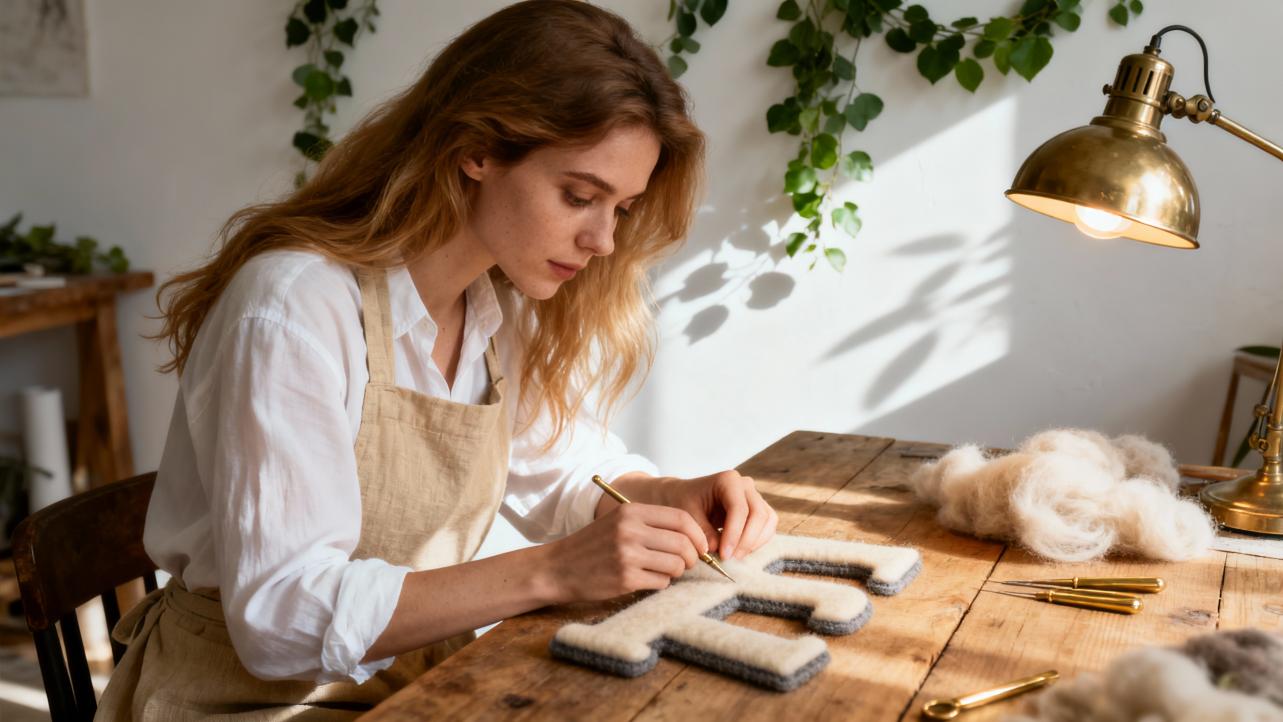
Mixed-media approaches that art programs at places like Colorado State University encourage are especially powerful. You might print an AI word art design, then layer real gold leaf on certain strokes, add watercolor shadows, or stitch thread into key letters. Artists discussed by Pace University’s faculty often print AI imagery and then transform it further with paint, collage, or augmented reality, emphasizing that the final work is a human-led synthesis.
Even how you label your work matters. Some artists choose to quietly note “AI-assisted” in the corner or on the back of a frame. This kind of transparency, discussed in policy recommendations around AI art and competitions, respects both the technology and the human input without pretending one did all the work.
In sentimental gifting, these choices reassure recipients that while a powerful tool was involved, the love and intention behind the piece are entirely yours.
A Story Example: An Anniversary Letter Turned into Wall Art
Imagine you want to transform an anniversary letter into a framed piece. Here is how such a project might unfold in practice.
You start by drafting the letter itself, perhaps with the assistance of an AI letter-writing tool that can help structure your thoughts into an introduction, a few heartfelt body paragraphs, and a warm closing with a signature. You make sure every detail feels true: shared memories, challenges you overcame together, little rituals you love.
From that letter, you highlight a single line that captures its essence, something like, “You are my favorite place to come home to.” That line becomes the centerpiece of your letter art.
You gather visual references that match your partner’s taste: cozy interiors, soft script lettering, muted colors. Drawing on prompt-writing advice from QuillBot and OpenArt, you describe the scene to an AI word art generator as a warm, cinematic moment with gentle lighting and integrated script typography. The AI suggests several compositions where the phrase appears across a doorframe, on a pillow, or floating as glowing script in the air.
You pick the one that feels closest, then refine. Perhaps the lettering is slightly hard to read, or the spacing between words feels off. Following the hybrid approach described by Word Studio, you bring the AI image into design software, retrace or replace the letters using a custom script font from a generator like Refont, and adjust the hierarchy so the word “home” carries the most visual weight.
You export the final artwork at the highest resolution and print it on thick, textured paper. With a fine pen, you add your handwritten signature and the original anniversary date at the bottom edge. You tuck the full letter, folded carefully, behind the mat in the frame.
When your partner receives it, they are not looking at “AI art.” They are looking at their own story, beautifully staged, guided by your taste and intention.
FAQ: AI Letter Art for Gifts
Is AI letter art “handmade” enough for sentimental occasions?
AI-generated components on their own are not handmade, but sentimental gifts rarely depend on a single factor. What matters most is how personally the piece reflects the recipient. If you choose the words, guide the prompts, select and refine the design, and then physically finish the piece with printing, framing, or embellishment, the result carries your craftsmanship and care. Many art educators, including those at NYU and Colorado State University, encourage treating AI as one material among many rather than as a replacement for human creativity.
Can I sell AI-generated letter art in my gift shop?
It depends on the licensing of the tools you use. Some services, like Wordificator, explicitly allow you to download, print, modify, and even sell generated word art, including on marketplaces and client work. Others have different rules or revenue thresholds, as seen with tools like Stable Diffusion models that are free up to certain scales and require commercial licenses beyond that. Always read the current terms of each platform, especially if you are building a business around the designs.
How do I keep AI letter art from looking generic?
Focus on three things: your words, your references, and your edits. Use phrases, inside jokes, and names only you would choose. Collect visual references that match the recipient’s world rather than relying on stock styles. Then, as teachers at Pace University and BYU suggest, treat AI outputs as drafts. Combine, redraw, recolor, and re-compose until the piece feels unmistakably connected to the person you are honoring.
Every meaningful gift begins with attention. When you bring that attention to the words you choose, the styles you explore, and the handmade touches you add, AI becomes a quiet but powerful ally. May your letters, vows, and tiny phrases find their way from your heart, through these tools, and onto walls and shelves where they can keep telling your favorite stories for years to come.
References
- https://ywriting.byu.edu/ai-art-and-creativity/
- https://source.colostate.edu/how-is-ai-changing-art/
- https://news.mit.edu/2024/creative-future-generative-ai-0102
- https://www.pace.edu/news/next-frontier-or-existential-threat-how-one-art-professor-approaches-generative-ai
- https://www.tiffin.edu/wp-content/uploads/Article-Advances-in-AI-Generated-Videos.pdf
- https://www.sps.nyu.edu/about/news-and-ideas/articles/etc/2024/embracing-creativity-how-ai-can-enhance-the-creative-process.html
- https://www.phot.ai/text-effects
- https://refont.ai/
- https://www.wordificator.com/
- https://a1.art/blog/top-letter-generators.html
