

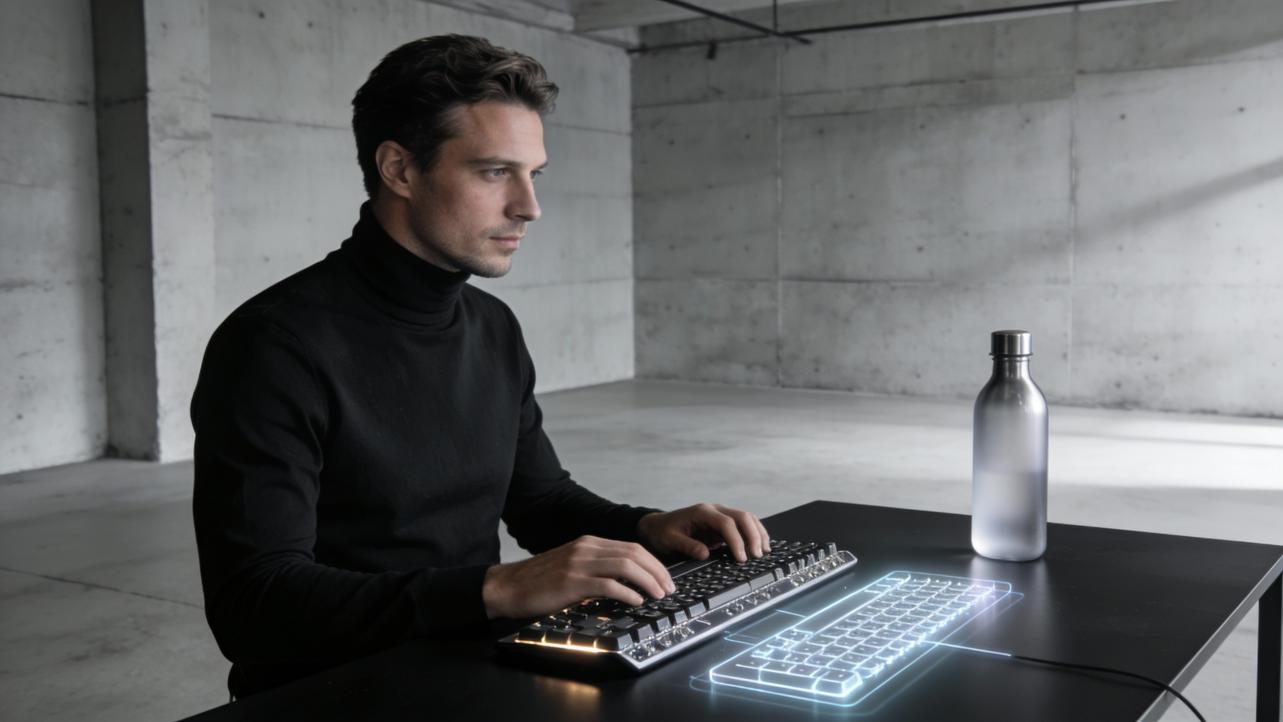
The Futuristic Appeal of Customized Projection Keyboards
There is something quietly intimate about the sound of typing. It is the rhythm of someone’s ideas leaving their mind and landing in the world. For an artful gifter, that everyday rhythm is a beautiful place to tuck meaning. That is why customized keyboards have become some of the most surprisingly sentimental presents I see chosen for writers, gamers, designers, and remote-working loved ones.
Today, mechanical keyboards already let us sculpt a deeply personal typing experience. Tomorrow, projection-style keyboards and projected layouts promise to turn the entire desk into a glowing canvas for creativity. When you blend those two worlds, you get an incredibly modern, yet deeply human gift: a customized projection keyboard experience that feels both futuristic and heartfelt.
In this article, we will ground ourselves in what researchers and keyboard experts already know about comfort, durability, and customization, then look at how those lessons shape the emerging, projection-inspired future of typing-focused gifts.
Why Keyboards Became Love-Letter-Worthy Gifts
Before we talk about projection, it helps to understand why keyboards themselves have become such powerful, personal objects.
Enthusiast brands like Awekeys, MelGeek, and Elecrow describe mechanical keyboards as a world of “endless possibilities,” where you can choose everything from the layout and switches to the keycaps and lighting. Awekeys emphasizes that a custom mechanical keyboard lets you tailor ergonomics, adjust angles, and pick high-quality components such as PBT keycaps and sturdy aluminum or polycarbonate cases, instead of settling for the flimsy plastics and rubber domes found in many standard office boards. MelGeek and GoblinTechKeys point out that mechanical switches are typically rated for around 30 to 70 million presses per key, compared with roughly 5 to 10 million for many membrane keyboards, which often makes a mechanical board last many times longer.
Kensington and Lenovo both stress that mechanical keyboards are not just toys for gamers. They highlight practical benefits: clearer tactile feedback, more consistent actuation forces, and layouts that help reduce strain for people who type all day. Kensington even frames modern mechanical boards as better long-term value for businesses, since individual switches can be replaced instead of discarding an entire worn-out membrane keyboard.
From a gifting perspective, all of this matters. A well-chosen keyboard is no longer a generic office accessory. It is a daily companion calibrated to how someone thinks, works, and moves. When you customize the colors, legends, and layout, you are effectively creating a little self-portrait that your loved one touches thousands of times a day.
Imagine a friend who writes novels at dawn. You might pick a compact mechanical keyboard with quiet linear switches, then choose warm-toned PBT keycaps inspired by their favorite book cover, as suggested by Keychron’s guidance on keycap materials and colorways. Every morning, as they rest their fingers on that board, they are literally touching a piece of your thoughtfulness.
Projection-inspired keyboards take that emotional canvas and expand it beyond physical plastic and metal.

What Is a Projection Keyboard in the Context of Artful Gifting?
“Projection keyboard” can mean different things in engineering circles, but in the context of sentimental gifting, it is helpful to think of it as a typing experience that is no longer confined to fixed, printed keys. Instead, the key layout itself is treated as a digital surface that can be shown, reshaped, and reimagined in different spaces.
We already live in a world where projection is part of everyday life. The Berkeley teaching center describes how instructors rely on projectors and screens alongside traditional whiteboards, and even reminds them to test their tech before class so students sitting 15 to 20 feet away can see clearly. On the personal computer side, Microsoft’s Windows guidance on “Projecting to this PC” shows that many laptops can now receive a wireless projected display and even accept external input from another device. In other words, our screens already float between devices and walls; our keyboards have simply lagged behind.
A projection keyboard concept builds on that reality. Instead of being locked to one physical set of legends, your keys could be “projected” as visuals wherever you work: on an external display, on a second device using wireless projection, or eventually even as light on a tabletop. The underlying hardware might be a mechanical keyboard, a laptop, or a tablet, but the interface you see and the symbols you touch can be treated as digital art.
For gifting, that opens delicious possibilities. The gift is no longer just “a keyboard,” but a portable, evolving typing environment that can carry different looks, messages, and layouts depending on the moment. You can think of it as a living, glowing skin for your loved one’s thoughts.

What Good Keyboards Already Teach Us About Future Typing
Even if projection-based layouts feel futuristic, they will succeed or fail based on the very same qualities that already make mechanical keyboards so beloved: comfort, durability, and the ability to feel like “me.”
Comfort, Ergonomics, and the Joy of Typing
Mechanical keyboard specialists such as MelGeek, GoblinTechKeys, and HP Tech Takes consistently highlight how tactile feedback and clear actuation points improve typing accuracy and comfort. Instead of pressing into a vague rubber dome, you feel a distinct point where the switch activates. Kensington notes that modern mechanical boards can reduce accidental key presses and help prevent strain through longer, more predictable key travel and diverse ergonomic form factors such as split layouts and compact 60 percent boards.
Membrane keyboards, according to Lenovo and GoblinTechKeys, tend to be quieter and softer, but often lack that clarity of feel, which can make long sessions a little less precise and satisfying. In quiet offices, Kensington suggests either membrane boards or modern “silent” mechanical switches that are dampened to keep noise down.
If you are designing a projection-style keyboard gift, those lessons apply directly. The projected layout still needs to respect the recipient’s body. That might mean:
Choosing a familiar layout size inspired by mechanical boards. Full-size layouts with number pads suit people who do a lot of data entry, while tenkeyless (TKL) or 68/75 percent layouts, often praised by Keyceo and Keychron, create more room for a mouse and less shoulder strain.
Respecting preferred key spacing and hand angles. Kensington and MelGeek emphasize how different actuation forces and layouts can reduce fatigue. Even in a projected environment, placing modifier keys closer together or mimicking a gentle split between left and right hand zones can make a big difference for comfort.
Balancing sound with surroundings. HP and Kensington point out that loud clicky switches can be a joy in a private studio but a distraction in open-plan offices or on video calls. A projection-style interface gives you artistic control over visual flair, but you can still pair it with quieter mechanical switches or a softer underlying keyboard for shared spaces.
Picture a designer who spends most of the day in creative software, sometimes in a quiet coworking spot. You might build them a projection-inspired layout that always shows their most-used shortcuts as glowing icons near the spacebar. Underneath, they type on a quiet mechanical board with tactile switches that MelGeek recommends for long typing sessions. The visuals move with them; the physical feel remains ergonomic and dependable.
Durability, Value, and the Hidden Romance of Longevity
From an emotional standpoint, one of the most romantic things you can give is something that lasts. Mechanical keyboards excel here. Elecrow notes that mechanical boards are built around individual switches rated for millions of keystrokes, sometimes in the tens of millions, and positions them as long-term investments. HP Tech Takes gives similar figures, describing many mechanical switches as being rated around 30 to 70 million presses per key, while membrane keyboards often land around 5 million.
MelGeek goes even further, explaining that mechanical boards can last roughly 6 to 14 times longer than typical membrane models in terms of keypress lifespan. Kensington and Keyceo’s business-focused articles add that, because the switches and keycaps are modular, you can replace individual components rather than discarding the entire keyboard, which reduces waste and long-term cost.
A projection-style keyboard design sits on top of whatever physical hardware your recipient already uses or chooses. The animation or layout itself might change week to week, but the foundational keyboard still benefits from these durability truths. If you pair your projected design with a solid mechanical board, you are effectively giving a future-proof canvas.
Imagine a remote worker who writes code or long client reports daily. If they type at a moderate pace and press keys several thousand times per day, a mechanical keyboard rated for tens of millions of presses per key could realistically see them through many years of work. Every time you refresh the projected layout with a seasonal theme or a new color story, the gift feels renewed without sending anything to a landfill.
Customization as Self-Portrait
Awekeys, Keychron, and MelGeek all circle back to the same idea: customization is where keyboards become extensions of identity. Awekeys describes choosing specific switches for preferred sound and feel, selecting PBT keycaps in favorite colors, and tuning LED lighting to match your desk. Keychron explains how different keycap profiles and manufacturing methods change the way legends look and wear, encouraging buyers to consider texture, appearance, and backlight behavior as a coherent design decision.
Kensington adds that many mechanical keyboards now support programmable keys, macro layers, and reassignable functions, letting professionals tailor key layouts around repetitive workflows like editing or data entry.
Projection-style keyboards essentially take this idea and remove the last remaining constraint: printed plastic. Instead of being locked into one font, one icon style, and one color scheme, a projected layout can adapt to:
The season, with winter blues and starlit legends in December, and soft greens with floral icons for spring.
The project, such as a minimalist, distraction-free layout for deep writing days and a colorful, shortcut-heavy layout for video-editing sessions.
The relationship, by weaving in personal details like an anniversary date tucked on the Enter key or a tiny illustrated version of a shared pet sitting on the Escape key.
The core evidence from Awekeys, MelGeek, and Keychron is that people are happier and more productive when their keyboard looks and feels like their own. Projection simply widens the palette, making it easier to refresh and adapt without buying a whole new physical board.

Pros and Cons: Projection-Inspired Experiences vs Traditional Keyboards
To make a grounded decision, it helps to compare traditional custom mechanical keyboards, which are well studied, with the projection-style experience you might be imagining as a gift. The factual side of this table comes from sources such as HP Tech Takes, MelGeek, GoblinTechKeys, Lenovo, Awekeys, and Kensington, while the projection column reflects how a thoughtfully designed, projection-inspired layout could complement those realities.
Aspect |
Custom Mechanical Keyboard (evidence-based) |
Projection-Style Keyboard Experience (conceptual) |
Tactile feel |
Mechanical switches provide distinct actuation points and rich feedback, which HP, MelGeek, and Lenovo link to improved accuracy and comfort during long sessions. |
A projection-focused layout can visually guide fingers and highlight important keys, but its magic is primarily visual; the feel still depends on whichever underlying keyboard you pair with it. |
Noise and environment |
Clicky switches can be quite loud; HP and Kensington both warn that they may disturb colleagues, while quieter linear or “silent” switches work better in shared spaces. |
A projection design cannot change the sound of switches, but it can make quieter boards more expressive by shifting the “personality” into light and imagery rather than audible clicks. |
Portability |
Mechanical boards are often heavier and bulkier, as noted by GoblinTechKeys and HP, though compact 60 or 68 percent layouts reduce desk footprint. |
Projection-style layouts can live on multiple devices and screens, so your recipient can carry the experience rather than a specific board, switching between home, office, and travel setups. |
Durability and repairs |
Mechanical switches are rated for tens of millions of presses, and Kensington points out that individual switches and keycaps can often be replaced, extending lifespan. |
The projected design does not wear out or “shine” like ABS keycaps described by Keychron and Elecrow. Visuals can be updated endlessly while the durable hardware beneath keeps working. |
Personalization |
Awekeys, Keychron, and MelGeek show how you can choose switches, keycaps, layouts, and lighting, making each board a unique physical object. |
A projection layer lets you radically change the look and iconography without swapping parts, and can carry sentimental art, dates, and messages that evolve as the relationship does. |
If your recipient loves working with their hands, building or modifying a physical mechanical keyboard may itself be part of the gift, as Awekeys suggests. If they prefer digital art, travel light, or use multiple screens with wireless projection enabled, then a customized projection-style layout might feel like a more natural extension of their world.

How to Design a Customized Projection Keyboard as a Heartfelt Gift
Designing a projection-style keyboard gift is less about buying the perfect gadget and more about choreographing an experience around the person you love. You can use what experts say about mechanical keyboards as a set of grounding questions.
Start with their daily reality. Elecrow, Kensington, and Keyceo all point out that the best keyboard choice depends on how someone works: gaming, heavy writing, data entry, or casual browsing. Think about what your recipient actually does for hours. Do they live inside spreadsheets, design software, or long documents? Do they sometimes take notes on a tablet or a laptop with a membrane keyboard? This helps you decide which shortcuts, symbols, and visual cues should be most prominent on the projected layout.
Then choose a layout shape that supports their posture. GoblinTechKeys and MelGeek describe how compact layouts reduce the distance to the mouse and can improve comfort, while full-size layouts with number pads serve people who enter a lot of numbers. Even if you are designing a projected overlay rather than a physical board from scratch, you can mimic these shapes. For a financial analyst who spends hours on reports and numeric models, you might keep the number pad clearly visible. For a traveling photographer who edits on a small desk, you might emphasize a compact grid with big, easily tapped modifier keys.
Next, decide on a mood. Awekeys and Keychron both treat color and lighting as integral parts of customization. Ask yourself what emotion you want the projection to carry. A calm, low-contrast palette might help an anxious writer feel grounded, while a bright, neon palette might energize a gamer or digital artist. Because projection is digital, you can design several moods: a soft “focus mode” for workdays and a playful, animated theme for evenings.
Finally, weave in the sentiment. This is where an artful gifting mindset shines. You can tuck a short phrase only the two of you understand under the spacebar. You can turn the Escape key into a tiny reminder of a favorite hiking trail. You might use the number row to hide a meaningful date in a specific color sequence. The research from Awekeys and MelGeek makes clear that people cherish keyboards that reflect their personality; the projection layer lets you reflect your shared story as well.
Picture gifting this on a milestone birthday. On the day itself, the projected layout might bloom with their favorite flowers, with the function row spelling out a subtle birthday message. The next week, the same underlying keyboard becomes more understated again, but that memory of the glowing surprise lingers every time the board wakes up.

Real-World Inspiration: Blending Physical and Projected Typing Today
Even without futuristic tabletop lasers, you can create projection-inspired experiences right now by combining solid hardware with smart use of screens and wireless projection.
Kensington and HP describe several modern mechanical keyboards that are designed for hybrid work, with features like USB and Bluetooth connectivity, multi-device pairing, and even dedicated video conferencing controls. MelGeek highlights triple-mode wireless boards such as the Mojo68 and Mojo84, which can connect to a desktop, laptop, and tablet while offering a consistent typing feel. Meanwhile, Microsoft’s Windows support resources show how a laptop or desktop can receive a wireless projected display from another device using the “Projecting to this PC” feature.
Taken together, those pieces mean you can:
Give someone a durable mechanical keyboard tuned to their comfort, drawing on the actuation force, layout, and switch type guidance from sources like MelGeek, GoblinTechKeys, and Kensington.
Design a custom visual layout or theme that lives on their main computer, showing animated legends, shortcut hints, or sentimental artwork overlaid around the keyboard area on screen.
Use wireless projection or external displays to “throw” that layout onto a bigger monitor or a second device when they move from the living room to a home office, much like the multi-device, multi-screen classroom setups Berkeley discusses.
For example, imagine a remote teacher who spends mornings at a kitchen table and afternoons in a small home office. They could use a quiet, spill-resistant mechanical keyboard similar to the IPX4-rated models Kensington describes, with a projected layout that changes depending on which device they are using. On their laptop alone, the layout might show big, legible shortcut hints for video conferencing. When they project to a larger screen in the afternoon, the layout could expand, adding colorful icons that match their lesson slides, making the entire teaching setup feel cohesive and intentional.
Even though the projected elements are digital, the heart of the gift is anchored in real keyboard science: the durability, ergonomics, and customization best practices that HP Tech Takes, Lenovo, MelGeek, and others have documented.
FAQ: Choosing the Right Keyboard-Inspired Gift
Is a projection-style keyboard experience too “techy” for someone who is not into gadgets?
It does not have to be. The evidence from Kensington, HP, and Lenovo shows that what most people care about in keyboards is comfort, noise level, and ease of use, not technical jargon. You can keep the underlying hardware simple and familiar, such as a quiet, full-size mechanical keyboard, and treat the projected layout as a gentle layer of visual help and sentiment. As long as the everyday experience is press-and-type, the projection element simply becomes a bit of magic that appears when the computer wakes up.
How do I decide between gifting a physical custom mechanical keyboard and a projection-inspired setup?
Look at your loved one’s habits and workspace. If they adore tangible objects, enjoy tinkering, or talk about switch types and keycaps, then building or commissioning a custom mechanical keyboard, as Awekeys suggests, might be the most satisfying route. If their work stretches across multiple screens and locations, or they light up when you talk about digital art, then a projection-style layout layered on top of a good keyboard can follow them more easily from place to place. In either case, lean on the research from MelGeek, GoblinTechKeys, and HP about durability and ergonomics so the gift feels good as well as looks good.
Will a keyboard-themed gift really feel sentimental, or just practical?
The market data that GoblinTechKeys cites, showing a keyboard sector approaching around $1.99 billion in revenue, hints that keyboards are not fading away anytime soon. They are tools people touch constantly. That frequency is exactly what makes them such powerful sentimental carriers. When you add the kind of deeply personal customization that Awekeys, Keychron, and Kensington describe, or the evolving projected art and messages of a projection-style layout, the keyboard becomes less like office equipment and more like a small, daily shrine to the relationship between you and the person you are gifting.
A Gentle Closing Note
When you give someone a customized projection keyboard experience, you are not just gifting a futuristic gadget. You are offering a more beautiful way for their ideas to enter the world, grounded in what we already know about comfort, craft, and care. Whether the keys click, glow, or quietly shimmer across a projected surface, the true magic is the same: every time their fingers move, they are touching a reminder that someone saw how they live and chose to honor it.
References
- https://scholarworks.uni.edu/cgi/viewcontent.cgi?article=2024&context=grp
- https://people.cs.vt.edu/~mccricks/papers/nmn16-fie.pdf
- https://gsi.berkeley.edu/gsi-guide-contents/technology-intro/communication/
- https://er.educause.edu/articles/2015/8/emerging-technologies-to-enhance-teaching-and-enable-active-learning
- http://www.keyceo.com/a-what-is-the-most-common-problem-with-mechanical-keyboards.html
- https://www.elecrow.com/blog/What-Are-The-Pros-And-Cons-Of-A-Mechanical-Keyboard.html?srsltid=AfmBOooCR-AzT04ajLf8FaueRFoAsbDOQ2WKnPb0lXZDdRBkCfrAP6_5
- https://testmatick.com/most-frequent-defects-on-a-virtual-keyboard/
- https://awekeys.com/blogs/news/endless-possibilities-the-benefits-of-building-a-custom-mechanical-keyboard?srsltid=AfmBOor_95b-EEo_i3Arpe8LnoeAS7pJAiukpZhNdq9kDMpyXOodlSpT
- https://keychron.com.au/blogs/news/how-to-choose-a-custom-mechanical-keyboard?srsltid=AfmBOoqadr_-iZ73aM_NXyzr3-9SZaeYc6zLE7qErtFZPZUcxz12cvi0
- https://gimsuncustom.com/blogs/gimsuncustom-keyboard-keycaps/common-mechanical-keyboard-issues-and-how-to-fix-them
