

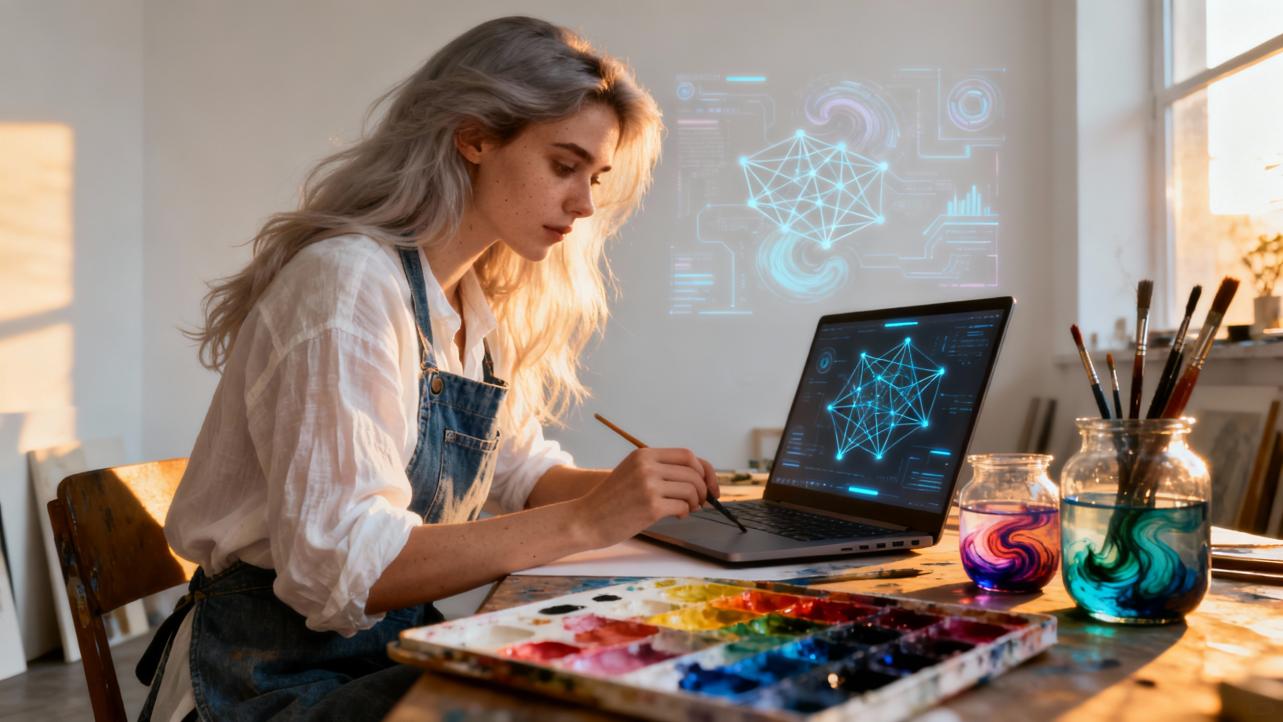
Techniques for Neural Networks to Mimic Watercolor Blending Effects
When you fall in love with watercolor, you fall in love with its gentleness first. Those soft edges, misty gradients, and tiny blooms of pigment feel like memories: they glow, they blur, they refuse to be perfectly controlled. As an artful gifting specialist, I see watercolor-style pieces chosen again and again for weddings, anniversaries, baby showers, and heartfelt “just because” gifts, precisely because they feel tender and handmade.
Today, neural networks are quietly learning how to speak that same language of washes and whispers. With the right techniques, they can turn photos and sketches into watercolor-style treasures that still feel personal enough to frame, gift, and cherish. In this guide, we will walk through how different neural approaches imitate watercolor blending, what they do well and where they fall short, and how you can use them thoughtfully for sentimental, gift-ready art.
What Makes Watercolor Blending So Special?
Before we talk about neural networks, it helps to honor what they are trying to emulate.
Watercolor painting is defined by transparency, fluidity, and graceful imperfections. Artists lay down thin washes so that light passes through multiple translucent layers, creating depth and subtle color shifts rather than flat fills. As described in watercolor-focused art guides, the key behaviors include soft gradients, flowing transitions, and the way water carries pigment into unpredictable blooms and feathered edges.
Traditional painters work with two classic approaches. Wet-on-dry means applying pigment to dry paper, which yields sharper, more defined edges. Wet-on-wet means painting into already damp paper; here, color blossoms and diffuses outward, creating soft halos and color bleeding. A physics-based watercolor system from researchers at the University of Washington models this difference explicitly by simulating a thin film of water flowing across a textured paper surface and pigments moving, diffusing, and depositing as the water evaporates or is absorbed. In that framework, edge darkening and “cauliflower” blooms emerge naturally as water slows and pigment pools at boundaries or is pushed outward by fresh water.
On top of that, paper texture matters. Granulation, little speckles where pigment settles more heavily in paper valleys, gives watercolor a tactile, almost crystalline charm. Overall, watercolor blending is not just about mixing two RGB values; it is about a dance among water, gravity, paper fibers, and pigments over time. Modern neural techniques have to find clever ways to approximate that dance from data.

How Neural Networks Learn the Language of Watercolor
Neural networks are machine-learning models that learn patterns from examples instead of following hand-coded rules. In the context of images, they can learn how colors, textures, and shapes co-occur, then use that knowledge to transform or generate new visuals. A practical review of neural networks for hyperspectral imaging of historical paintings in cultural heritage work shows how deeply these models can understand paint behavior: they ingest three-dimensional “data cubes” with spectra at every pixel and learn to identify pigments and mixtures, or even unmix them into separate components. The lesson is important for watercolor simulation: neural networks are capable of learning rich, nonlinear relationships in complex paint data.
For digital watercolor, AI-focused art essays describe training deep models on large collections of watercolor images so the networks can internalize how soft gradients look, how water content affects texture, and what kinds of color transitions feel true to the medium. Once trained, these neural networks can do several things. They can transfer watercolor style onto photographs, generate entirely new scenes in watercolor-like textures, or “paint” a scene stroke by stroke based on a photograph or drawing.
Three families of techniques sit at the heart of mimicking watercolor blending with neural networks: content–style models such as neural style transfer, generative adversarial networks (GANs) trained for watercolor textures, and stroke-based neural painting systems. Around them, we also find supporting methods like segmentation, physics-based simulation, and generative geometry that help organize and refine the blending process.

Content and Style: Neural Style Transfer for Watercolor Washes
Neural style transfer (NST) is one of the most approachable ways to turn a photo into a watercolor-like image. As described in AI art blogs and tools like Reelmind’s watercolor effects, NST separates the “content” of an image (the objects and their arrangement) from the “style” (textures, brush marks, color palettes, and the look of the medium).
For watercolor, the style image might be a scan or photo of a traditional watercolor painting, or a curated collage of watercolor textures. The style network looks at statistics of neural features from a convolutional neural network: how brushy edges, washes, and granulation patterns show up across the style image. It then optimizes a new image that keeps the content of your original photo but aligns those style statistics with the watercolor reference. AI guides on watercolor aesthetics emphasize that watercolor’s charm lies in transparency and flowing gradients, and neural style transfer learns to recreate those translucent washes and soft color transitions directly.
Platforms such as Reelmind use NST as part of a larger toolkit. Their description of AI-powered watercolor notes that they isolate hallmark watercolor traits like washes and granulation and apply them to standard photos with just a few clicks. Creators can control how strongly the style applies and even blend multiple styles, such as watercolor with ink-wash or gouache looks.
In practice, NST-based watercolor has clear strengths. It is fast, usually does not require you to train your own model, and works well for gifts like wedding portraits, pet illustrations, or travel photos turned into dreamy wall art. The main limitations are that details can sometimes feel overly smoothed and edges may not always respect fine structures. Because NST works at the level of feature statistics, it may sometimes sprinkle watercolor texture in places you might not expect, such as faces or text, which is why many artists still refine the result by hand in tools like Photoshop or Procreate.

GAN-Based Watercolor Engines and AquaGAN
Generative adversarial networks take a different path. Instead of directly optimizing a single image, they learn a generator that produces new images from random noise, while a discriminator tries to distinguish generated images from real ones. Over time, the generator learns to produce images that match the distribution of the training data.
In an overview of AI and art from Tooploox, GANs are described as central to modern AI art. Early high-quality models like BigGAN and StyleGAN required on the order of 70,000 training images and heavy computational resources, but newer techniques such as adaptive discriminator augmentation allow strong models to be trained with as few as 2,000 images. The same article describes an “Artificial Analog” experiment, where StyleGAN2 is trained on analog film photographs. Interestingly, the model quickly learned to produce bright color regions intersecting in smooth ways that the author notes felt almost watercolor-like, alongside textures reminiscent of scanned negatives. That experiment was not about watercolor specifically, but it shows how GANs can learn subtle, painterly color blending behaviors from relatively limited data.
Dedicated watercolor GANs push this further. Reelmind describes a proprietary model called AquaGAN that refines NST-like style transfer by explicitly simulating paper absorption and pigment dispersion. In plain language, AquaGAN is trained not just to match the look of watercolor but to imitate how pigment seems to sink into paper and how colors spread into each other. The platform’s explanation emphasizes that this leads to hyper-realistic watercolor textures that go beyond simple filters.
More broadly, GAN-based watercolor models tend to excel at generating new, richly textured imagery once they are trained. They can synthesize granular edges, soft blooms, and layered transparency in ways that feel convincing for large prints or hero images in branding. The tradeoffs are that training is more technical and resource-intensive than running off-the-shelf style transfer, and that careful dataset curation is essential. As the Tooploox article stresses, artists often assemble clean, aesthetically consistent datasets and sometimes treat this curation as an art process in its own right.

Stroke-Based Neural Painting for Layered Washes
Another branch of research, represented by work like the CVPR 2021 paper “Stylized Neural Painting,” treats painting as a sequence of brush strokes rather than a pixel-by-pixel transformation. Instead of directly predicting a final image, the system represents a painting as many parameterized strokes, each with a position, shape, color, opacity, thickness, and other attributes. A neural network plus differentiable rendering or reinforcement learning then optimizes these stroke parameters so that the rendered painting matches both a content image and a target style.
Compared with pure style transfer, this approach has two important implications for watercolor blending. First, because every stroke has an opacity parameter and a specific footprint, the model can mimic the way watercolor artists build up washes in layers. Early strokes can be broad, low-opacity washes capturing the overall color gradients, while later strokes refine edges and details. This echoes how traditional watercolorists often lay in sky or background washes, then proceed to midtones, then crisp foreground accents.
Second, because this representation is stroke-based rather than pixel-based, the output behaves more like vector art: it is resolution-independent to a degree and offers explicit control over brush size, density, and opacity. The stylistic part of the loss encourages strokes to share characteristics with watercolor marks, such as soft-edged strokes and subtle granulation. The paper’s summary notes that the method can produce recognizable portraits and landscapes in a range of painting styles, including watercolor-style textures, while offering sharper details than many classic neural painting baselines.
For sentimental, gift-focused art, stroke-based neural painting is especially appealing when you want something that looks like it truly could have been painted by hand—perhaps a family portrait rendered as a series of soft washes and calligraphic lines. The cost is that these methods are more computationally demanding and currently more often used in offline workflows rather than instant smartphone effects.
Supporting Algorithms That Shape Watercolor Blends
Neural networks do not operate in a vacuum. Several non-neural or hybrid techniques support or inspire the way they handle watercolor blending.
Physics-Based Watercolor as a Reference
The physics-based watercolor system from the University of Washington treats the painting as interacting layers over a grid. One layer encodes the paper height field, capturing surface roughness; a second layer models a thin film of water that flows downhill, redistributes, evaporates, and is absorbed; additional fields track pigment concentrations that move with the water, diffuse, and deposit into the paper over time.
This model naturally reproduces key watercolor phenomena. When water slows at the edge of a wet patch, more pigment settles there, causing edge darkening. When new water hits a partially dried area, it pushes existing pigment outward, creating bloom or “backrun” patterns. By giving artists controls for brush shape, pigment type, water load, paper tilt, and absorbency, the system can recreate many traditional techniques like wet-on-wet and wet-on-dry.
While this simulation is computationally intensive and aimed at offline rendering rather than real-time painting, its importance for neural methods is conceptual. Many neural approaches to watercolor blending are ultimately judged by how well they reproduce these same visual cues without having to solve the full fluid dynamics problem. Even when a neural effect feels like “just a filter,” the underlying expectation comes from this physics: translucent layers, edge accumulation, blooming, and granulation all need to be perceptually plausible.
Generative Polygons, Transparent Layers, and Texture
Generative artist Tyler Hobbs offers another lens on watercolor-like effects. In a guide on simulating watercolor with generative art, he describes a recursive polygon deformation algorithm that starts with a simple shape and repeatedly subdivides and perturbs its edges. For each edge from point A to C, the algorithm finds the midpoint B, samples a new midpoint B′ from a Gaussian distribution centered at B, and replaces the original edge with two edges A→B′ and B′→C. Repeating this process for several iterations transforms rigid polygons into organic, wavy shapes reminiscent of watercolor forms spreading on paper.
Color blending in this framework relies on stacking many semi-transparent layers. Hobbs recommends using layers at very low opacity, around 4 percent, and piling up roughly 30 to 100 such layers. A blending rule that selects the darkest pixel among the overlapping shapes and texture masks produces smooth, naturally fused colors that resemble watercolor washes. To introduce the irregular transparency of real watercolor, a texture-masking process scatters approximately 1,000 small circles or spheres across the shape, assigning high variance to some regions and low variance to others so certain areas change a lot while others barely shift.
A YouTalent blog that walks through these ideas emphasizes that this combination—wiggly edges, deep stacking of transparent layers, and randomized texture masking—goes a long way toward mimicking watercolor without any explicit fluid simulation. From a neural standpoint, these methods are useful both as analytic insights into what matters visually and as potential sources of synthetic training data or differentiable “building blocks” inside larger models.
Dual-Stream Segmentation and Color-Space Estimation
Another strand of research looks at segmenting images in smart ways before applying stylization. A paper on an automatic watercolor painting algorithm introduces a Dual Stream Exception Maximization (DSEM) segmentation method that uses both color and texture cues. DSEM converts images from the RGB space into a perceptually motivated color space such as CIELAB to better align with human color perception and reduce sensitivity to lighting differences. It then computes color features from those channels and texture features using measures such as local variance or co-occurrence matrices.
The resulting segmentation maps are fed into a deep learning model that classifies color regions and helps drive the watercolor rendering. Simulation experiments reported in the notes show that this DSEM-based pipeline outperforms conventional CNN- and RNN-based segmentation approaches, achieving roughly a 12 percent improvement in classification performance for color space estimation, texture analysis, and region merging.
Segmentation like this matters for blending because watercolor effects often vary by region. Background skies might be soft wet-on-wet washes, while foreground line work remains crisp and wet-on-dry. By identifying coherent regions first, a neural or hybrid system can decide where to encourage strong diffusion and where to preserve edges, leading to more believable watercolor behavior.
Graph Neural Networks for Paint Mixing
There is also emerging interest in using graph neural networks (GNNs) for watercolor paint mixing. The only accessible information we have for one such study is its title, “Research on Simulation and Optimization Algorithm of Watercolor Paint Mixing Effect Based on Graph Neural Network,” captured through a security-check page, so we cannot describe its methods or results. However, the topic points to a natural direction: modeling paint mixing as interactions over a graph.
Conceptually, GNNs treat pixels or regions as nodes connected by edges that follow image structure. Message-passing operations then let each node update its state based on its neighbors, which is a good fit for local color blending and diffusion phenomena. While details of that particular work are not available in the notes, the general idea of using graph-based neural architectures for watercolor blending is promising, especially for capturing how colors influence each other across complex shapes.

Comparing Neural Watercolor Approaches
To ground all of this, it helps to compare the main approaches you might encounter when you are dreaming up a watercolor-style gift or product.
Approach |
How it mimics watercolor blending |
Pros |
Considerations for gift-ready art |
Neural style transfer |
Matches feature statistics of a watercolor reference image (washes, granulation) while preserving content of a photo or sketch |
Fast, accessible in consumer apps; great for personal photos and quick experiments |
May over-smooth or misplace texture; often benefits from manual cleanup in Photoshop or Procreate |
GAN-based stylization (e.g., AquaGAN) |
Learns to generate images whose textures and color distributions match watercolor datasets, sometimes modeling paper absorption and pigment spread |
Can produce highly realistic textures and rich blends once trained; supports multi-style fusion |
Training can be data- and compute-intensive; output vibes depend heavily on dataset curation and style diversity |
Stroke-based neural painting |
Represents painting as many semi-transparent strokes optimized to match content and watercolor style |
Stroke-level control over opacity and layering; results feel hand-painted and scale well to prints |
More computationally demanding; sometimes struggles with very fine text or tiny details |
Segmentation plus deep color-space modeling (e.g., DSEM) |
Separates image into color–texture regions and uses deep models to guide per-region watercolor effects |
Better control over where blending is soft versus sharp; about 12 percent gain in region classification over baselines in reported tests |
Adds complexity to the pipeline; segmentation quality strongly influences the final look |
Physics-informed or hybrid methods |
Use physics-based simulations or generative algorithms as references or components to guide neural models |
Capture hallmark behaviors like blooms, edge darkening, and layered transparency in a principled way |
Pure physics models can be slow; hybrids need careful design so they remain efficient and controllable |
This table is not meant as a ranking but as a conversation starter with yourself: what kind of emotional feel and production workflow does your project need?

Practical Workflows for Sentimental, Gift-Ready Pieces
Let’s pull this into the studio and talk about how you actually use these techniques when you are crafting something meant to be held, framed, or unwrapped.
Starting Without Writing Code
You do not need to be a programmer to work with neural watercolor effects. Articles on how artists use neural networks emphasize that most creators rely on pre-built tools rather than coding models from scratch. Style-transfer apps, browser-based platforms, and mobile tools like Reelmind expose only key controls such as style choice, strength of transformation, and randomness.
For example, Reelmind’s watercolor feature wraps neural style transfer and GAN-based models behind a one-click conversion process, with sliders for parameters like pigment density and brush roughness. Many illustrators also combine these AI transformations with tablet apps such as Procreate or desktop software such as Photoshop and Krita, which offer robust watercolor brush sets and blend modes. This hybrid workflow lets the neural network handle the heavy lifting of blending and texture while you retain creative control over composition and finishing touches.
Choosing and Preparing Base Images
Watercolor-style AI tools are most forgiving when you feed them good starting material. A guide from The AI Prompt Shop on achieving soft, ethereal watercolor looks in AI images recommends using simple, uncluttered compositions and natural subjects such as landscapes and florals. High-resolution images help preserve clarity after stylization. In a game-art case study, artist Katieamazing drew crisp sprites on a solid white background so style transfer would not need to wrestle with transparency, then arranged stock watercolor art to match the sprite sheet’s layout as the style image, enabling batch processing.
For gift art, this might mean choosing a photo with clear silhouettes and gentle lighting for a family portrait, or a clean logo version for a watercolor brand mark. If you plan to produce prints, using source images with enough resolution to support your desired print size is crucial, even if the AI tool itself does not mention pixels explicitly.
Layering, Opacity, and Texture in Post-Processing
Across both algorithmic and artistic guides, one principle repeats: watercolor depth comes from layering many transparent glazes rather than relying on a single strong stroke. Tyler Hobbs’ generative recipe stacks between about 30 and 100 extremely low-opacity layers, around 4 percent opacity each, to build luminous color blends. Digital art tutorials from sites like Prints4Sure echo this by recommending multiple semi-transparent layers with different blend modes in Photoshop or Procreate to simulate overlapping pigments.
In practice, after running a neural watercolor effect, you might import the result into your painting app, place it over the original photo at partial opacity, and gently paint into areas where you want more or less diffusion. Overlaying subtle paper textures, adjusting opacity per layer, and nudging hue and saturation can turn a “good enough” AI output into something that feels lovingly finished. The AI Prompt Shop suggests small finishing touches such as paint splatter effects or refined line work to heighten the handcrafted impression.
Making the Style Truly Yours
A recurring theme in AI art writing is the idea of the artist as curator and collaborator rather than passive consumer of machine output. The Tooploox article underscores how many AI artists treat dataset collection as an artistic act. For example, Anna Ridler’s “Myriad of tulips” assembles thousands of hand-labeled tulip photographs as both a dataset and an installation. In another project, the author of the same article collects analog night photographs, then trains StyleGAN2 with adaptive discriminator augmentation; the network learns textures and color flows that feel distinctive rather than generic.
Reelmind builds this into its platform by allowing advanced users to fine-tune AI models with their own artwork and then publish those models in a marketplace, earning credits redeemable for cash when others use them. The platform also addresses style diversity by featuring watercolor models inspired by different global traditions, including Chinese shuimo and Indian miniature painting, helping counter the early bias toward Western aesthetics noted in AI art discussions.
If you are building a gift-oriented brand, curating or training a model on your own watercolor pieces or carefully chosen references lets your neural watercolors carry your signature, not just a default filter’s. Even if you never train a model yourself, consciously choosing styles that align with your story—gentle, nature-inspired washes for baby announcements, or bolder, granulating textures for anniversary art—keeps the work aligned with your clients’ emotions.

Pros and Cons for Sentimental, Handmade-Feeling Gifts
From a heartfelt gifting perspective, neural watercolor techniques offer a compelling set of advantages. Time efficiency is significant: AI-focused watercolor articles note that models can generate detailed watercolor-style images in a fraction of the time required for physical painting. That means you can offer personalized portraits, custom stationery, or branded packaging even on tight timelines. A marketing piece cited by Reelmind mentions that campaigns with “handcrafted” visuals achieved about 30 percent higher engagement than more standard-looking creatives, which helps explain why watercolor aesthetics are so popular in branding and product design.
Accessibility is another benefit. Because neural networks handle much of the technical blending, newcomers without traditional watercolor training can still produce lovely, soft images. AI art essays emphasize that these tools act as creative partners, empowering people who might not have the supplies, space, or physical ability to work with real water and pigment. For many gift-givers, this means they can design something deeply personal—a scene from a favorite hike, a beloved pet, a childhood home—in a watercolor style without years of practice.
At the same time, there are real limitations and responsibilities. Authenticity and authorship remain active debates in AI art. Articles from both artistic and technical communities ask whether AI threatens or extends traditional creativity and how copyright should be handled. Platforms like Reelmind respond by building in human-in-the-loop editing tools and crediting community-trained models, but as a creator you still need to be transparent with clients and honest with yourself about the role AI played.
Data bias is another concern. Early AI art systems disproportionately reflected Western aesthetics. Reelmind’s model marketplace now intentionally includes styles from global watercolor traditions, and cultural-heritage reviews emphasize the need for clear documentation of datasets and methods. Curating your own datasets or choosing tools that respect diverse visual lineages helps ensure that your watercolor gifts are not unintentionally echoing narrow or appropriative styles.
Finally, while AI makes watercolor aesthetics more accessible, it is still possible to over-rely on presets. If every portrait you deliver uses the same default watercolor filter, the work can start to feel generic. Combining neural blending with thoughtful composition, color choices, and a few hand-painted details keeps the soul in the piece.

FAQ
Do I need to know how to code to use neural watercolor techniques?
No. Summaries of artist workflows consistently stress that most creators use pre-built tools rather than writing code. Neural style transfer and GAN-based watercolor effects are wrapped in apps and web platforms that offer simple controls for style, strength, and texture. You can build a rich, watercolor-inspired product line—from prints to cards to packaging—using these tools alongside familiar apps like Photoshop, Procreate, or Krita.
How can I keep AI-assisted watercolors feeling personal, not like generic filters?
Think of the neural model as an assistant, not the artist. Choose or fine-tune styles that align with your brand or personal sensibility, curate clean and consistent source images, and spend time on post-processing: adjust colors, paint in small details, and overlay textures that match your story. Artists in GAN and style-transfer projects report that dataset curation and human editing at every stage are key to moving from “AI demo” to a recognizable personal visual language.
Can these techniques work well for printed gifts like cards or wall art?
Yes. AI art practitioners and commercial AI platforms highlight turning digital AI watercolors into physical products via high-quality prints on materials such as photo paper, metal, or acrylic. The crucial steps are to start from high-resolution images, refine the output so textures look intentional rather than noisy, and proof a small print before committing to a large run. When you combine neural watercolor blending with thoughtful printing choices and sturdy paper stocks, the final pieces can feel as substantial and gift-worthy as traditional paintings.
When you invite neural networks into your watercolor practice, you are not replacing the human hand; you are giving yourself another brush, one that has studied thousands of washes and edges and is eager to help you tell tender stories faster. In the end, what makes a watercolor gift precious is not whether the pigment came from a tube or a tensor, but whether the image feels like it was made for someone in particular. If you let the technology handle the blending while you hold on to the intention, your AI-assisted watercolors can become keepsakes as heartfelt as any hand-painted card.
References
- https://pmc.ncbi.nlm.nih.gov/articles/PMC10006919/
- https://grail.cs.washington.edu/projects/watercolor/paper_small.pdf
- http://www.cs.columbia.edu/cg/raymond/watercolor/watercolor_pp.pdf
- https://digital.kenyon.edu/context/dh_iphs_prog/article/1022/viewcontent/elenar_dig_watercolor.pdf
- https://dspace.mit.edu/bitstream/handle/1721.1/128342/1201835432-MIT.pdf?sequence=1&isAllowed=y
- https://www.mat.ucsb.edu/~g.legrady/academic/courses/20f594/txt/generativeArt2.pdf
- https://www.researchgate.net/publication/374130352_A_New_Automatic_Watercolour_Painting_Algorithm_Based_on_Dual_Stream_Image_Segmentation_Model_with_Colour_Space_Estimation
- https://tooploox.com/artificial-intelligence-and-art
- https://reelmind.ai/blog/ai-powered-watercolor-effect-for-artistic-photos
- https://scispace.com/pdf/a-case-study-on-frontal-face-images-lls8weyncy.pdf
